
FluentCRM is a WordPress-based CRM that lets you manage contacts, automate emails, and track customer interactions. Integrating FluentCRM with Booktics ensures that all booking information is automatically synced, helping you manage clients efficiently and send timely notifications.
Integration Steps
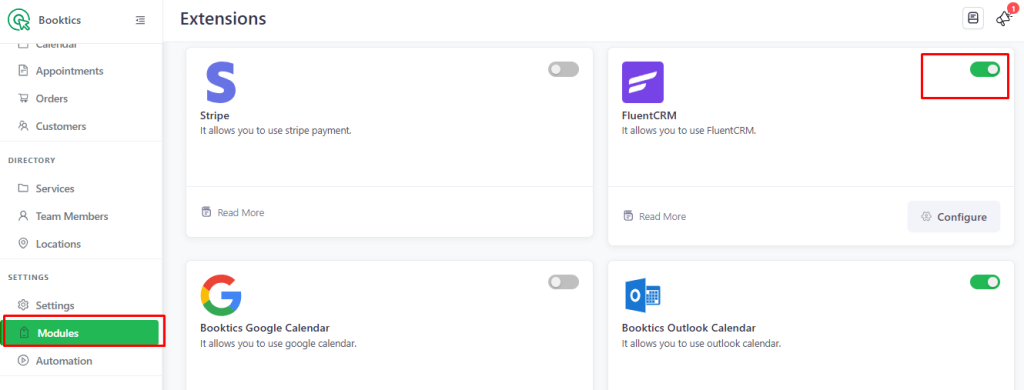
Enable FluentCRM Module in Booktics
- Navigate to WordPress Dashboard → Booktics → Modules.
- Enable FluentCRM Module
Configure FluentCRM Integration
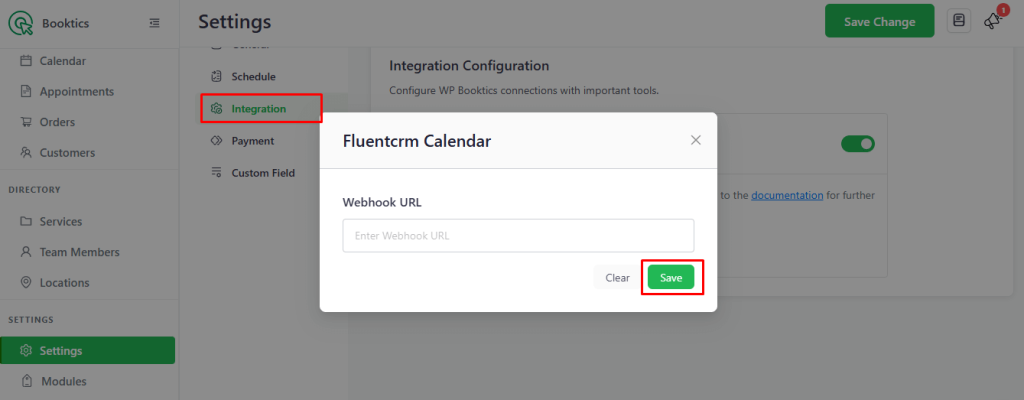
- Go to Booktics → Integration → FluentCRM.
- Enable FluentCRM and click Configure.
- In the pop-up, enter the Webhook URL provided by FluentCRM and save changes.
To test the integration, create a booking in Booktics. This will provide data to ensure FluentCRM sync works correctly.