You need to activate the license to get automatic updates when you use the Booktics Pro plugin. So, make sure you have activated the Booktics Pro plugin first.
How to Activate Pro License
First of all, you need to log in to the Arraytics Account. Here you will get the license Key.
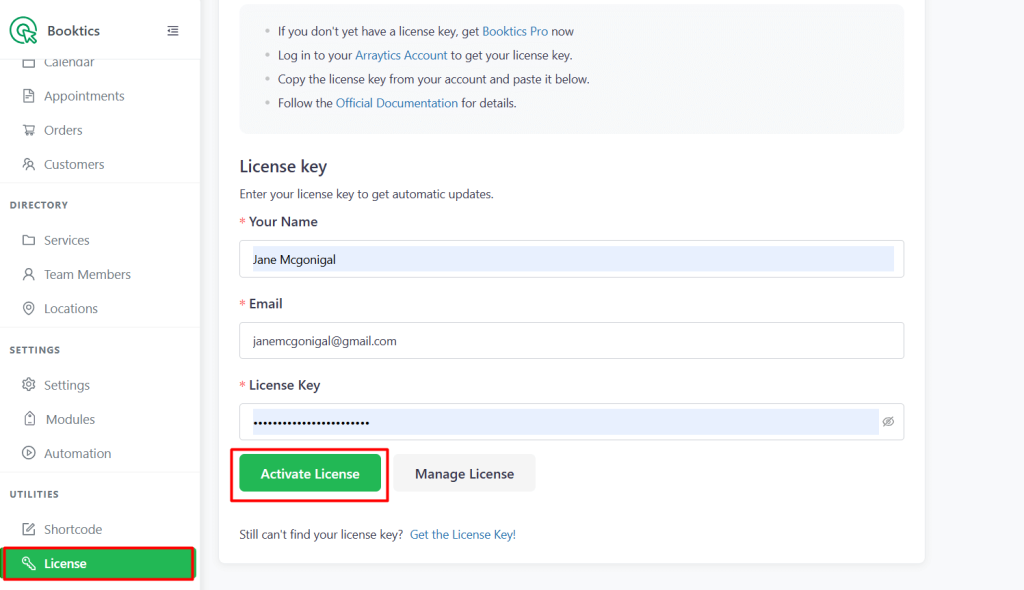
- Go to Booktics > License in your WordPress dashboard.
- Enter your license key.
- Click Activate License.
How to get the License Key
To get your license key:
- Log in to your Dashboard.
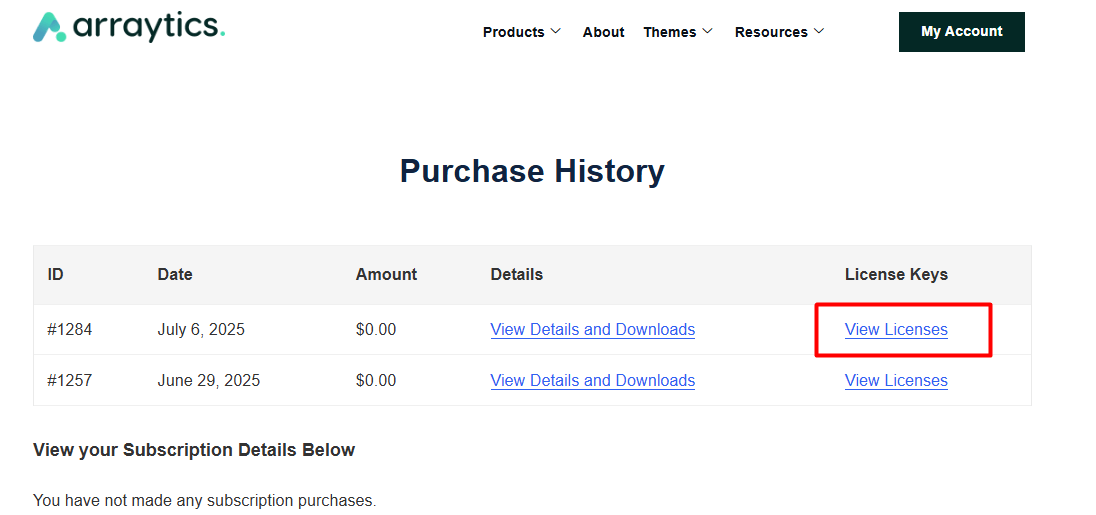
- Go to Purchase History.
- Click on View Licenses.
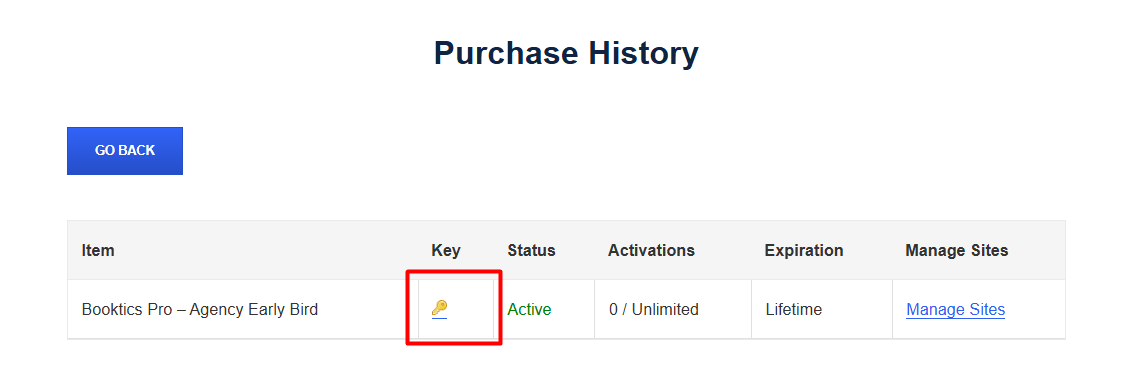
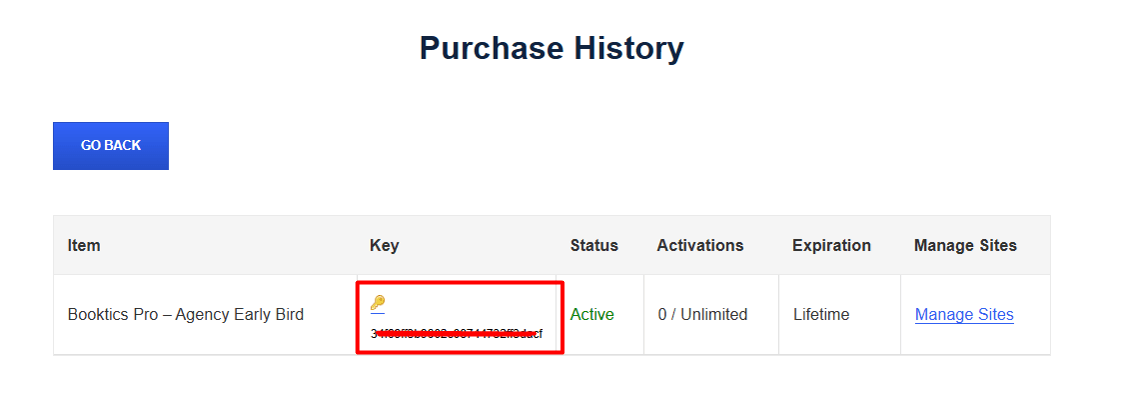
- Click on the key icon and copy your license code.