
Overview
The Booktics MailPoet integration adds every booking customer to your MailPoet email lists automatically. Unlike webhook integrations, MailPoet runs inside your own WordPress site, so there is no URL to paste and no external account to connect — you simply choose which list(s) new bookers join. It is for site owners who run their newsletters with MailPoet and want each booking to grow their subscriber list.
| Prerequisite: The free MailPoet plugin should be installed and active. Make sure your mail poet account is connected and at least one MailPoet list created under MailPoet → Lists. |
Step 1: Enable the MailPoet integration
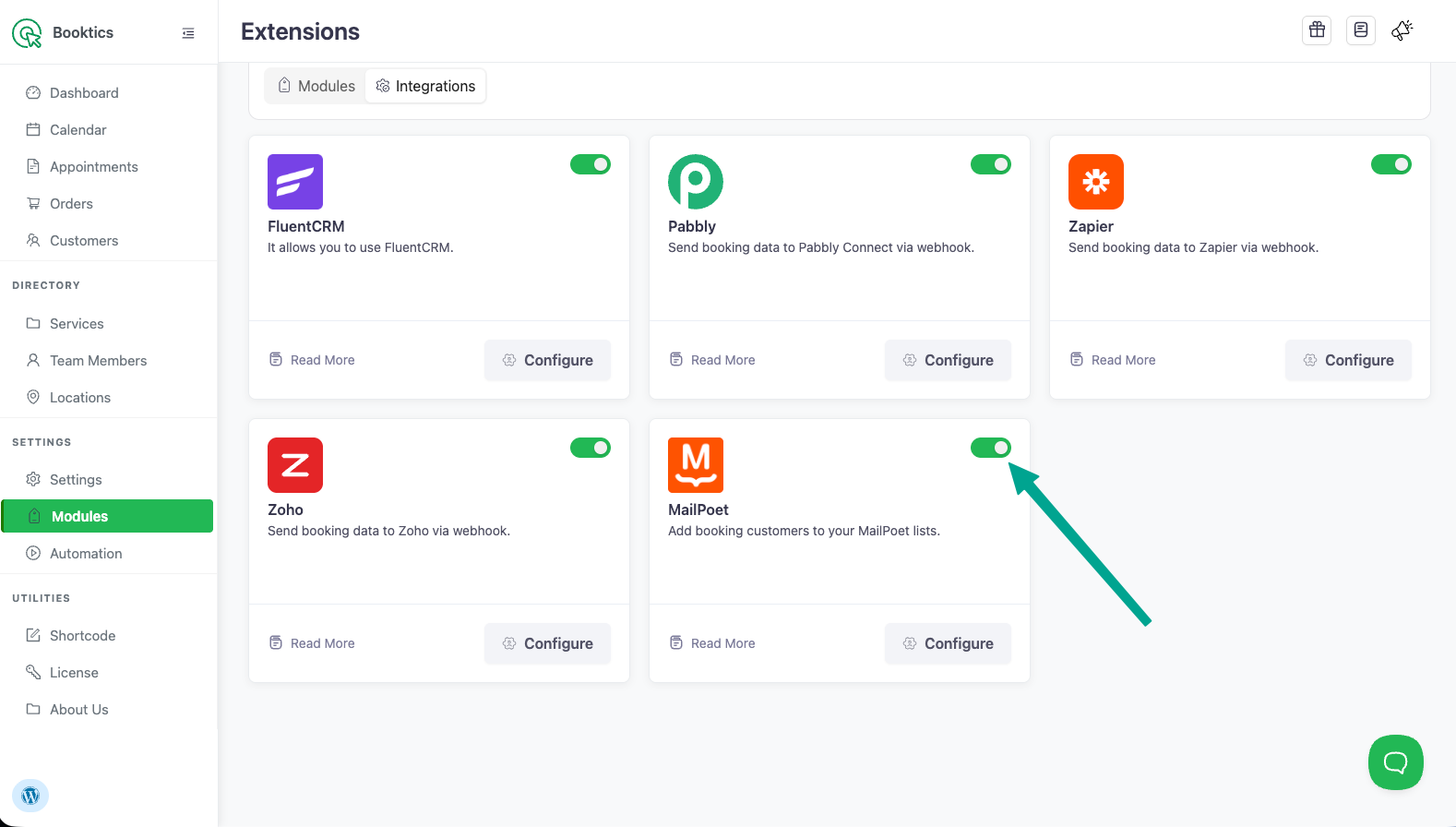
- In WordPress admin, go to Booktics → Modules and open the Integrations tab.
- Find the MailPoet card and toggle it On.
- Click Configure on the MailPoet card to open its settings.
Step 2: Install or activate MailPoet
If MailPoet is not on your site yet, the Configure area shows a single button that changes with the plugin’s state. Click it and let each step finish:
The button advances automatically: Install → Activate → Configure. If MailPoet is already active on your site, you skip straight to the list selection.
Step 3: Choose your MailPoet list(s)
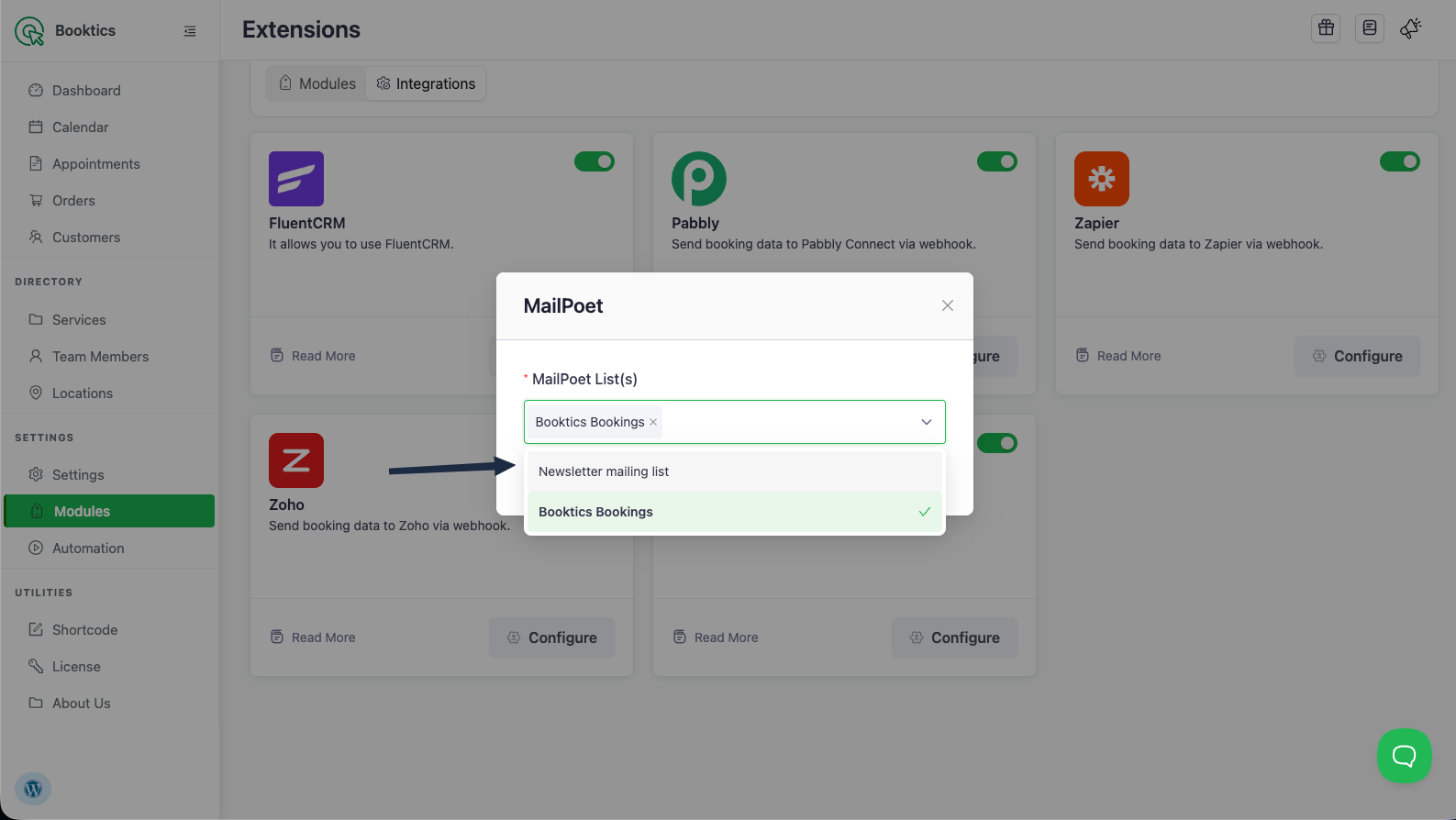
- With MailPoet active, the Configure modal shows a MailPoet List(s) dropdown filled with your existing lists.
- Select one or more lists. Booking customers will be added to every list you pick.
- Click Save.
Booktics now adds each new booking customer to the selected MailPoet list(s) using their name and email.
Step 4: Test the connection
- Create a test booking on your Booktics booking page.
- In WordPress admin, go to MailPoet → Subscribers.
- Find the booking customer’s email and confirm they belong to the list(s) you selected. MailPoet → Lists also shows the subscriber count rising.
| Note: A new subscriber’s status follows your MailPoet sign-up confirmation setting. With double opt-in on, they appear as Unconfirmed until they confirm; with it off, they appear as Subscribed. Either way the record shows under Subscribers. |
Frequently Asked Questions (FAQ)
| Q1: Do I need a webhook URL or API key like Zapier or Zoho? No. MailPoet runs inside your WordPress site, so Booktics connects to it directly. You only choose which list(s) bookers join — there is nothing to paste. |
| Q2: A customer books twice with the same email — do I get a duplicate? No. If the email already exists in MailPoet, Booktics simply (re)subscribes that person to the selected list(s) instead of creating a duplicate subscriber. |
| Q3: How do I stop adding bookings to MailPoet? Toggle the MailPoet integration Off in the Integrations tab, or clear the selected lists in Configure and save. Either one stops new bookings from being added. |
Conclusion
Turn on MailPoet, pick your list(s) once, and every Booktics booking adds the customer to your MailPoet audience automatically — no webhooks, keys, or external setup.